



Mastering jets in Battlefield 6 can transform you from ground infantry into a devastating aerial threat. These powerful aircraft offer unmatched reconnaissance, lethal firepower, and the freedom to dominate the skies—but only if you know how to control them. This comprehensive guide breaks down everything from basic controls to advanced dogfighting techniques, helping you become an ace pilot.
Battlefield 6 Essential Jet Controls at a Glance
| Control Type | Default Keybind | Advanced Setup |
|---|---|---|
| Throttle Up | W | W |
| Throttle Down | S | S |
| Pitch Up | Mouse Up | Space/Mouse Up |
| Pitch Down | Mouse Down | Left Ctrl/Mouse Down |
| Roll Left | A (on ground) | A |
| Roll Right | D (on ground) | D |
| Yaw Left | Default mouse | Mouse Left |
| Yaw Right | Default mouse | Mouse Right |
| Fire Weapons | Left Click | Left Click |
| Exit Vehicle | E | P |
Understanding Jet Movement Basics
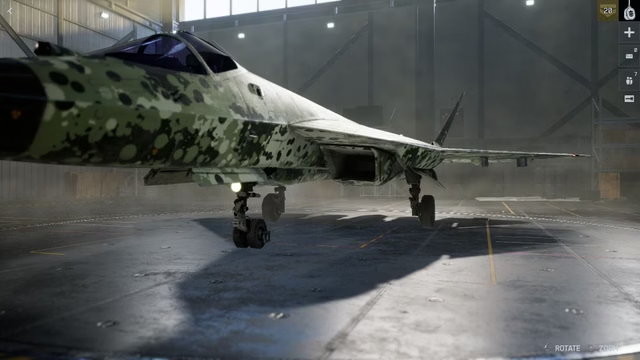
Before you take to the skies, you need to grasp three fundamental aircraft movements: pitch makes your jet’s nose lift up or point down, yaw uses the rudder to slightly move your jet left or right, and roll rotates the jet and its wings towards a direction without changing its nose position.
The biggest challenge for new pilots is unlearning ground combat instincts. Unlike infantry or ground vehicles where you aim directly at targets, jet control requires thinking in three dimensions. Your mouse doesn’t point where you want to go—it controls rotation and orientation.
With default keybinds, you must consider your mousepad a two-dimensional graph where moving left and right rolls the aircraft, then pitching up aims you in that direction. To turn right, for example, roll right with your mouse, then pitch up continuously to complete the turn.
Why Default Controls Are Limiting
The biggest drawback in using default keybinds is that pitch requires constant mouse movement. Your jet’s nose only lifts while your mouse is moving upward, creating an exhausting cycle of lifting and repositioning your mouse repeatedly during turns.
This limitation severely impacts your combat effectiveness during dogfights and bombing runs, where precise, sustained maneuvers are critical for success.
Best Advanced Keybind Setup
Pro pilots recommend transferring pitch controls to keyboard keys for constant input capability. This setup, popularized by content creator Silk on YouTube who specializes in jets, revolutionizes jet handling by separating movement from aiming.
The advanced configuration uses spacebar for pitch up and left control for pitch down, allowing sustained climbs and dives without mouse fatigue. Meanwhile, yaw moves to horizontal mouse input, and roll stays on A and D keys.
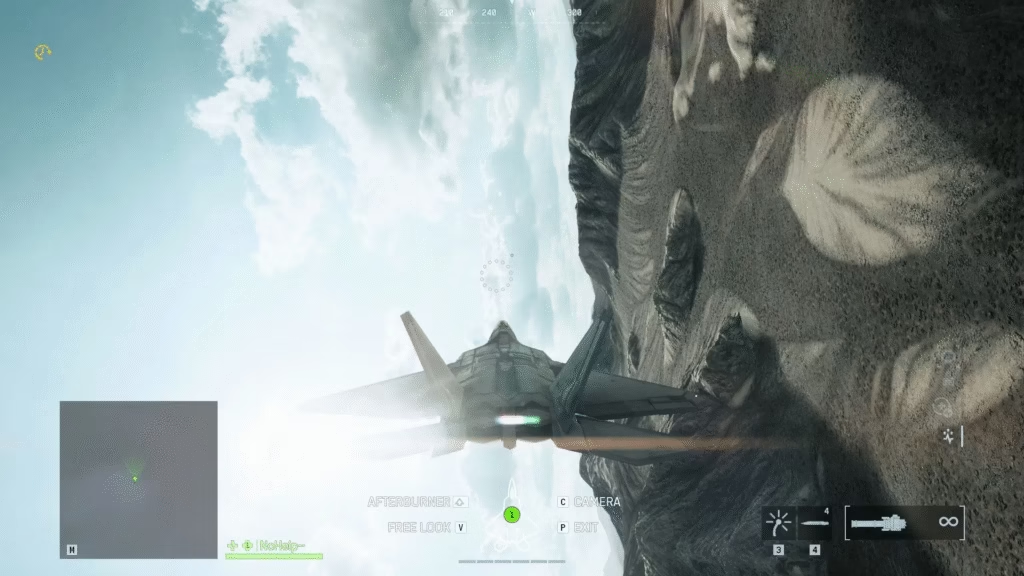
Critical vehicle settings to adjust:
- Invert Vertical Flight Aircraft: Off
- Aircraft Control Sensitivity: 200
- Helicopter Control Sensitivity: 200
- Helicopter Control Assists: Off
- Third Person Aircraft Camera Roll: Off
With this setup, executing a quick right turn becomes simple: press D until perpendicular to the ground, then hold spacebar to complete the turn. Your mouse remains free for precise aiming during attack runs.
For more insights on optimizing gaming controls, discover how professional players maximize their performance.
Practice Makes Perfect: Portal Codes
Battlefield 6 jets are the most complex vehicles to learn but extremely rewarding when mastered. Use these Portal Experience codes to practice without pressure:
- 6GVY – Helicopters & Jets practice
- X8XB – Ace Pursuit
These dedicated training environments let you refine maneuvers, test keybinds, and build muscle memory before entering competitive matches.
Target Priority: What to Attack First
Understanding target priority can mean the difference between life and death. Here’s the priority list, with jets being highest:
- Enemy Jets – Your biggest threat; they respawn in 90 seconds
- Helicopters – Dangerous to ground forces and vulnerable to jet attacks
- Anti-Air Vehicles – They can shoot you down; eliminate them early
- Tanks – High-value ground targets
- Infantry – Lowest priority; focus on vehicles first
During the 90-second enemy jet respawn window, you have free rein to devastate ground targets. Once that timer expires, immediately scan for returning enemy aircraft.
Dogfighting Fundamentals
Fighting opposing jets requires specific techniques. Fly toward opponent jets, brake down and start turning while shooting in controlled bursts, then loop at a regulated speed to keep them in your sights.
If an enemy jet locks onto your tail, brake and loop similarly, or lure them toward your side of the map where teammates can target them. Battlefield streamer Silk offers this simple philosophy: try to crash into the enemy jet without crashing into them. This aggressive mindset helps you merge effectively and secure kills.
According to EA’s official Battlefield guides, maintaining optimal speed during dogfights is crucial—too fast and you can’t turn tightly, too slow and you become an easy target.
Advanced Tips for Aerial Dominance
Flyby Routes: When enemy jets are active, stay on your side of the map and circle defensively. Once you’ve eliminated them, use the 90-second respawn window to expand operations and support ground forces.
Map Boundaries: Understanding out-of-bounds airspace on each map requires practice. Accidentally crossing boundaries destroys your aircraft instantly, so learn these limits through Portal practice sessions.
Speed Management: Master the “sweet spot” speed for tight turns—typically around 300-320 speed. This allows maximum maneuverability without stalling.
For the latest esports strategies and competitive gaming tips, explore how professionals dominate the battlefield.
Ready to dominate the skies in Battlefield 6? Practice these techniques and you’ll transform from easy prey into a feared aerial ace. For more gaming guides and esports news, visit Technosports.
Battlefield 6 Battle Royale Release Date: When Will the Mode Launch?
FAQs
Q: Should I use mouse and keyboard or controller for Battlefield 6 jets?
A: While controllers feel more intuitive for flying, mouse and keyboard offer superior precision for both aerial combat and post-ejection ground fights. Many pro pilots recommend the advanced keybind setup mentioned above, which transfers pitch controls to spacebar and left control while keeping yaw on mouse horizontal movement for the best of both worlds.
Q: How long does it take to master flying jets in Battlefield 6?
A: Learning basic controls takes a few hours of practice in Portal mode, but true mastery requires dozens of hours. Start with the practice codes (6GVY for general practice, X8XB for Ace Pursuit), perfect your keybinds, and gradually transition to multiplayer matches. Focus on one skill at a time—first basic flight, then bombing runs, finally dogfighting—to build competency systematically.

