

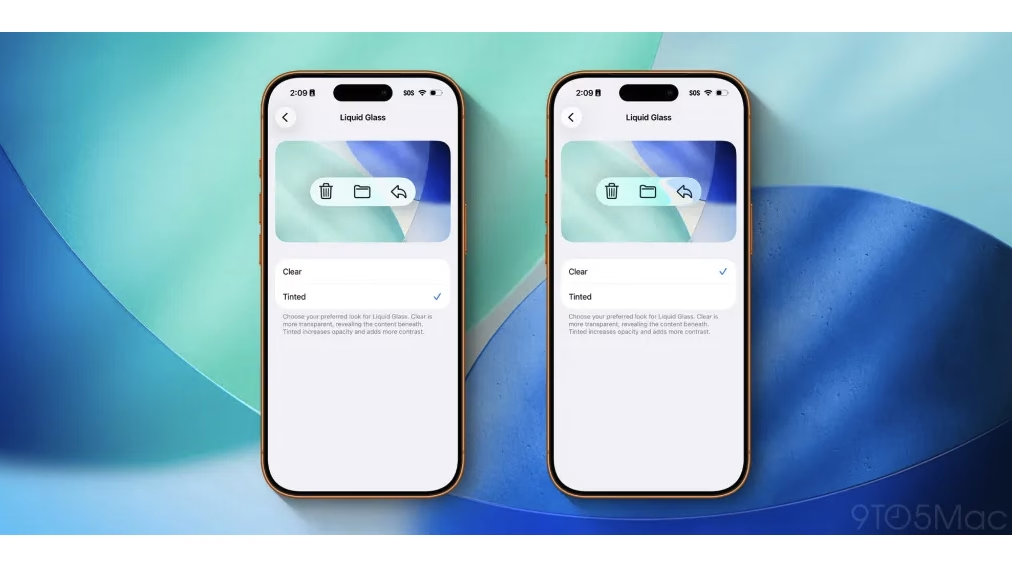

Apple has released the iOS 26.1 update for iPhones, focusing on refining user experience with several subtle but impactful improvements. The update is particularly notable for introducing a new option to control the transparency of the Liquid Glass UI, alongside other features that enhance daily usability and customization. Here’s a concise overview to help you grasp what’s new in this update.
What is the Liquid Glass Setting?
The Liquid Glass design, introduced in iOS 26, represents a major visual overhaul by Apple centered around transparency and translucency throughout the system interface. While praised for freshness, it faced criticism from users who found some elements hard to read due to excessive transparency.
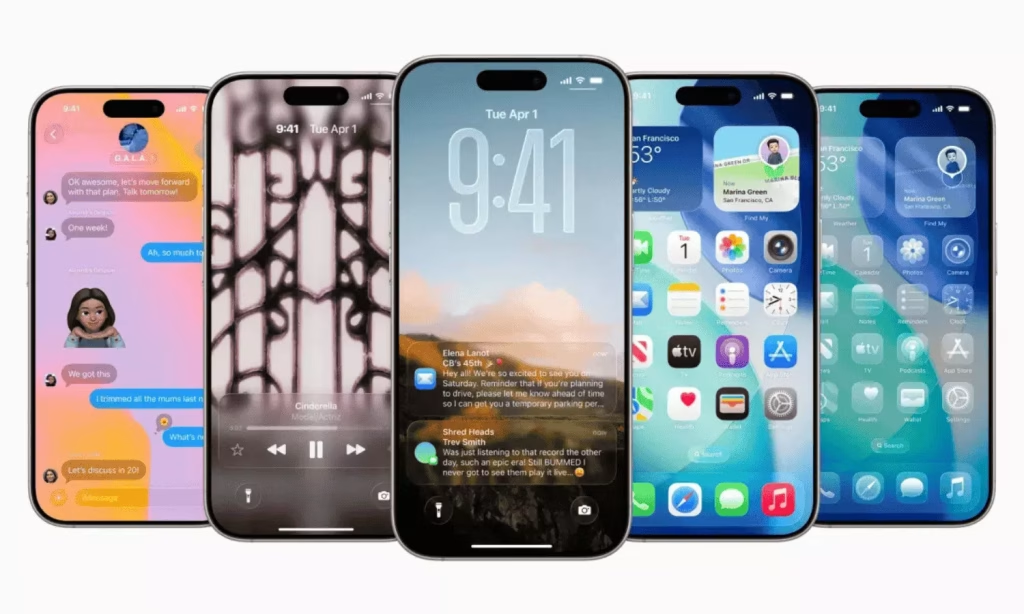
With iOS 26.1, Apple offers a new user-friendly toggle under Settings > Display & Brightness > Liquid Glass which lets you switch between two modes:
- Clear: The original transparent look that remains fully translucent.
- Tinted: A new option that increases the opacity of interface elements, adding contrast and improving readability on buttons, notification panels, and app navigation.
Other Noteworthy Features in Apple’s iOS 26.1
Why You Should Update to iOS 26.1
The iOS 26.1 update fine-tunes your iPhone experience by addressing usability issues and adding customization options that make everyday interactions smoother and more intentional. The ability to control Liquid Glass transparency ensures better visibility tailored to personal preferences without sacrificing style. Plus, improvements like camera swipe control and upgraded media handling demonstrate Apple’s commitment to meeting user feedback for a more practical interface.
How to Install and Customize
To update your iPhone to iOS 26.1:
- Go to Settings.
- Tap General > Software Update.
- Select Download and Install.
Once updated, customize the Liquid Glass setting:
- Open Settings.
- Navigate to Display & Brightness.
- Tap Liquid Glass.
- Choose between Clear or Tinted based on your readability and aesthetic preference.
For controlling the lock screen camera swipe:
- Go to Settings > Camera.
- Disable or enable Lock Screen Swipe to Open Camera.
Frequently Asked Questions
Q1: Which iPhone models are compatible with iOS 26.1?
A1: The iOS 26.1 update is available for all iPhones that support iOS 26, generally covering iPhone 8 and newer models. You can check compatibility and device-specific features on Apple’s official site Apple iOS feature availability.
Q2: How does the new ‘Slide to Stop’ feature improve alarms and timers?
A2: Instead of a simple tap, users now need to slide on the alarm or timer notification to stop it. This reduces accidental dismissals, ensuring you don’t accidentally stop important alarms, which is especially useful for daily routines.

